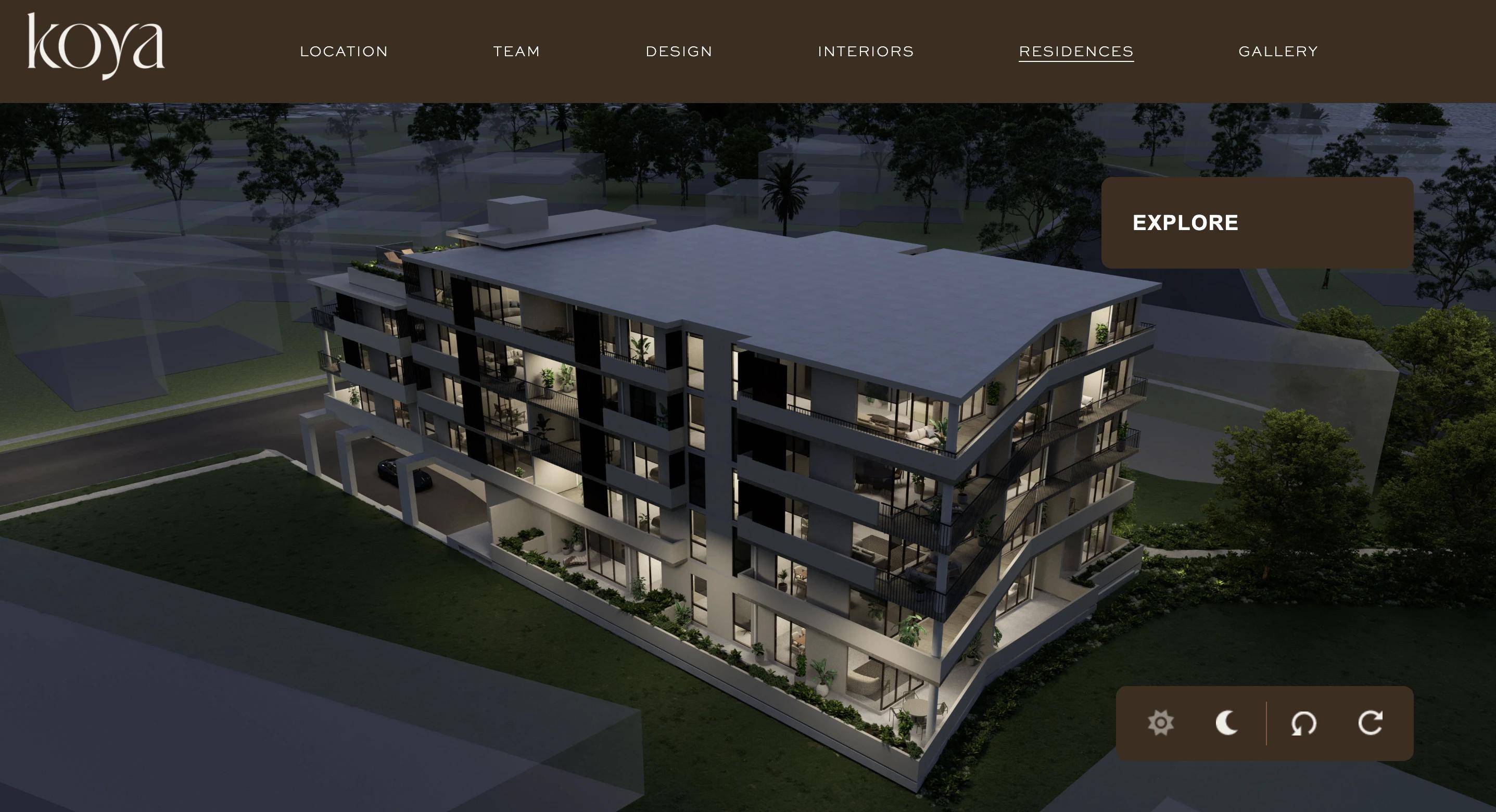
Explore every apartment through an interactive 3D building
Koya
- Role
- Frontend engineer (React)
- Timeline
- 7 weeks
- Team
- 1 designer, 2 developers
- Category
- React
The challenge
Buyers of an Australian residential development needed to understand the building before it exists. They had to find an apartment, see its floorplan and view the building in different light, all in one place.
How I solved it
1. A building turned from image frames
The building is a sequence of 72 pre-rendered 3D frames. GSAP animates the current frame number over about 0.8 seconds, so the building turns smoothly and wraps around at the end. The rotation buttons stop at the four main viewpoints.
2. Day and night as two sets of frames
Every angle exists in a day version and a night version. The day/night switch changes which set the frame loads from, so the angle and the selected area stay exactly where they were.
3. Floorplans through the building
Each level is a clickable area laid over the 3D view and matched to the current frame. Hovering highlights it. On touch screens the first tap highlights it and the second opens that level's floorplan.
4. Hotspots and the amenities map
Photo hotspots appear on chosen frames, and a map of the city's nearby amenities sits alongside the building.
- 7 weeks
- Delivered
- 72
- Frames in one full building rotation
- 4
- Interactive views: floorplans, day/night, rotation, amenities map
What I learned
Pre-rendered images gave a high-end 3D look without a heavy 3D engine. The cost is many large images, so the real work was keeping frame, lighting and selected area in one store so every view stayed in sync.